
[🛠] Building a diet and meal-tracking MVP inside the blog
✨ GPT-5.6 Sol’s Summary
A record of turning a meal log that accumulated automatically but was too hard to read into a small in-blog app, then using it myself as an MVP to keep improving.
Version 1: Plenty of recorded data, but terrible readability
I started recording body measurements and meals on June 20, 2026.
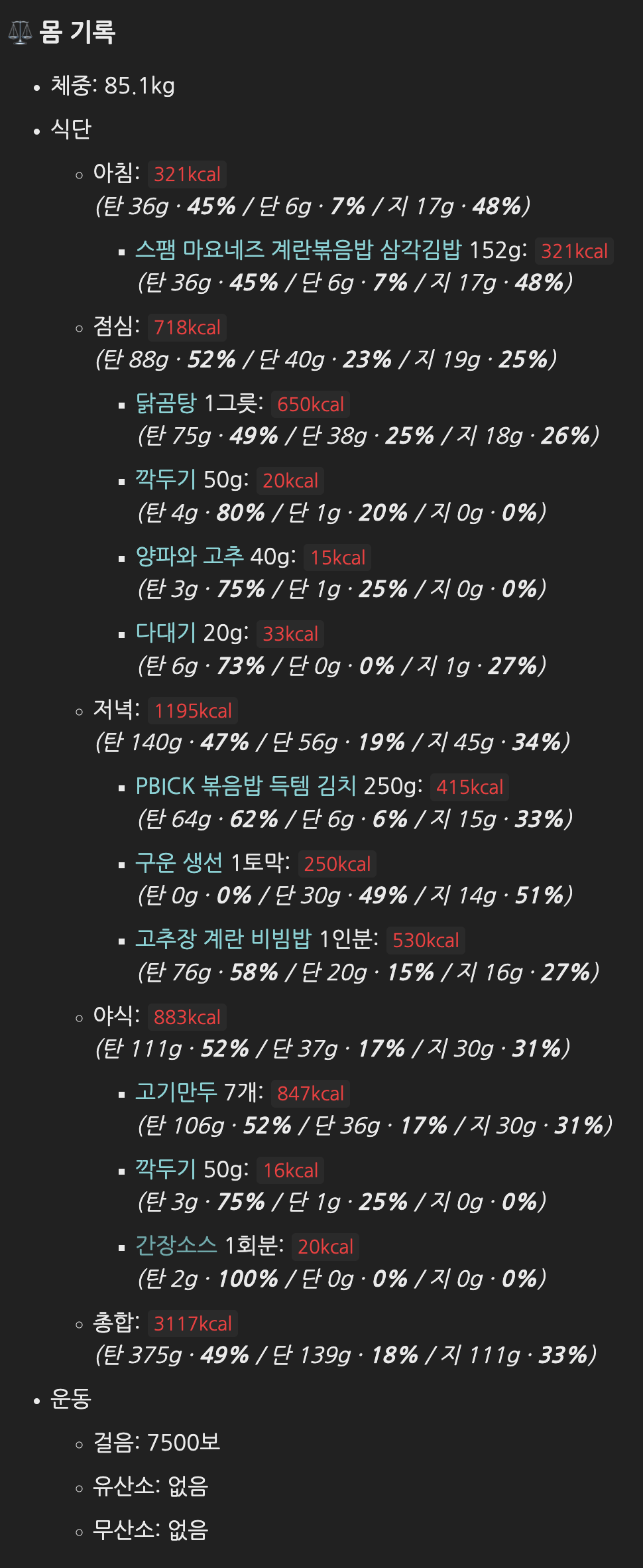
Writing the log itself was not difficult. I only had to upload a food photo, and Codex would find the nutrition data on FatSecret, record it, and add the hyperlink. The readability, however, was terrible. I did not read it myself, so nobody else probably did either.
Version 2: Collapsing meal details and adding the latest seven days
I changed the format starting on July 10, 2026.
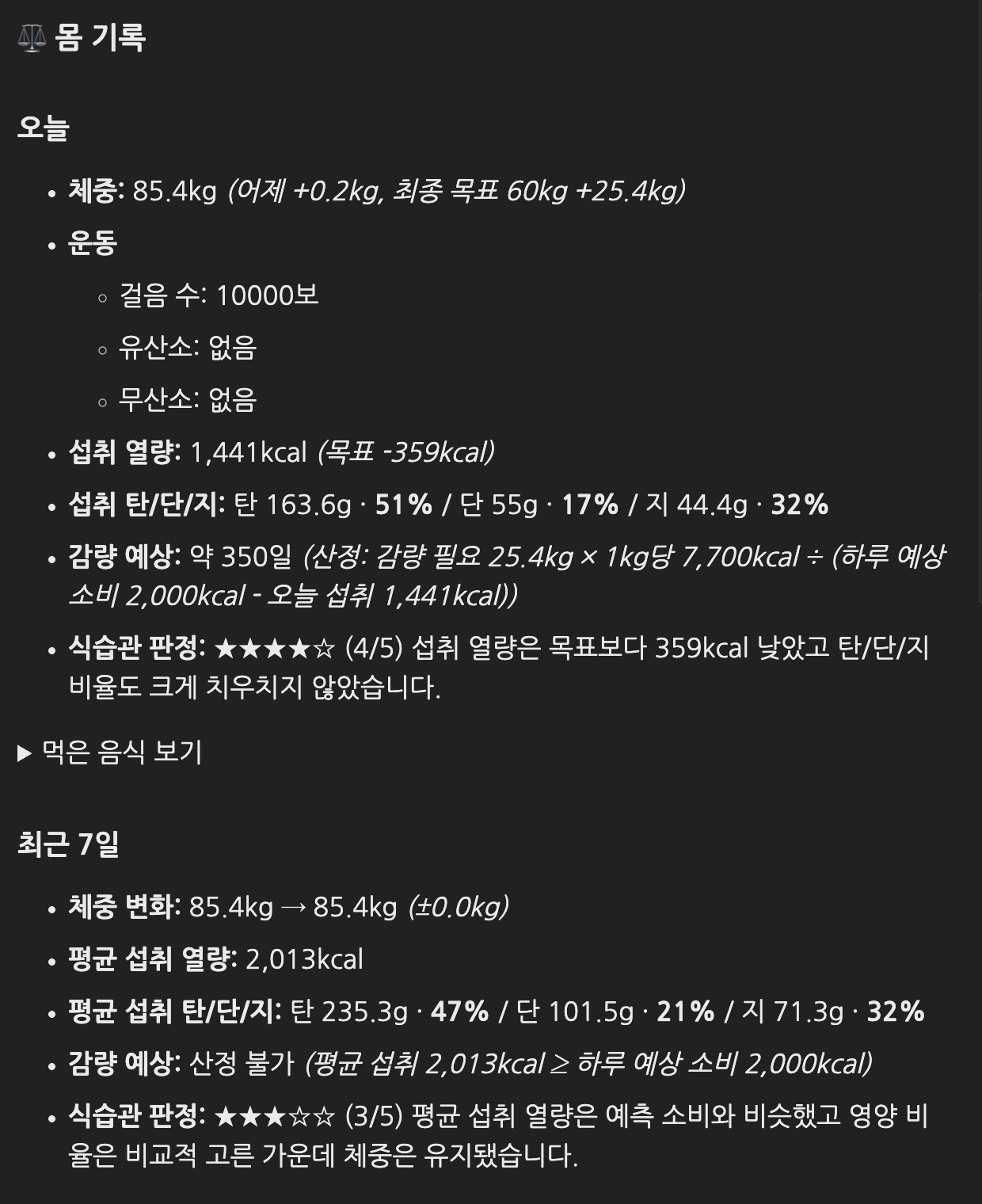
I hid the meal details behind a disclosure control and turned them into an archive mainly for AI to scan. I also improved the overall readability and added changes from the latest seven days. That finally started giving me useful feedback.
“So this is how many calories I actually ate, and this is how my weight changed.” It was beginning to become visible.
Still, it did not feel easy to grasp at a glance. The text-heavy format seemed to be the reason. Since I could have Codex build it anyway, I started wondering whether I should put a small app-style viewer directly into the page.
Version 3: A small app inside the blog made the record much easier to read
Starting today, I changed it to this.
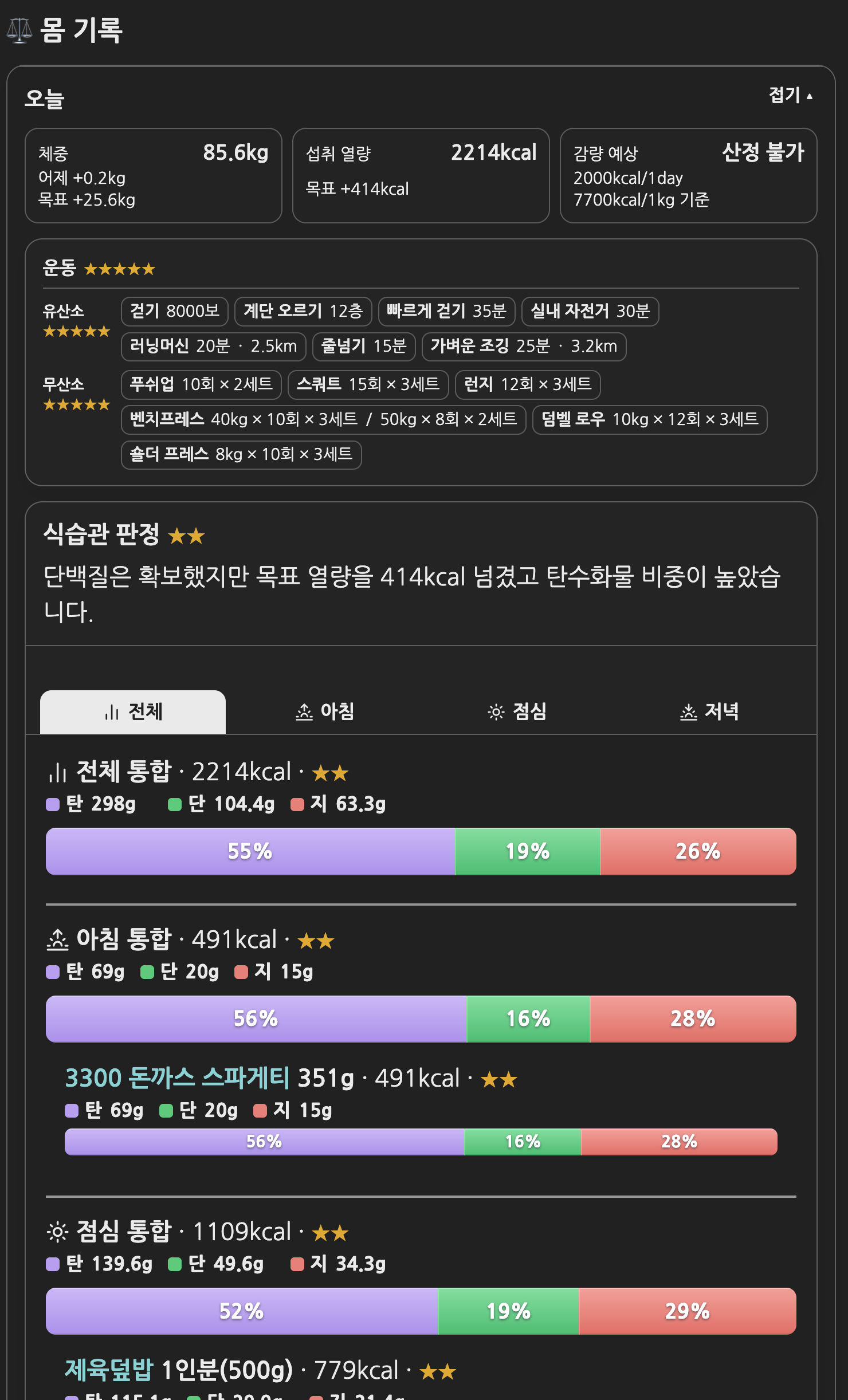
I explained the features I wanted to Codex one by one and kept giving feedback. Within an hour, the result I wanted was working inside the post.
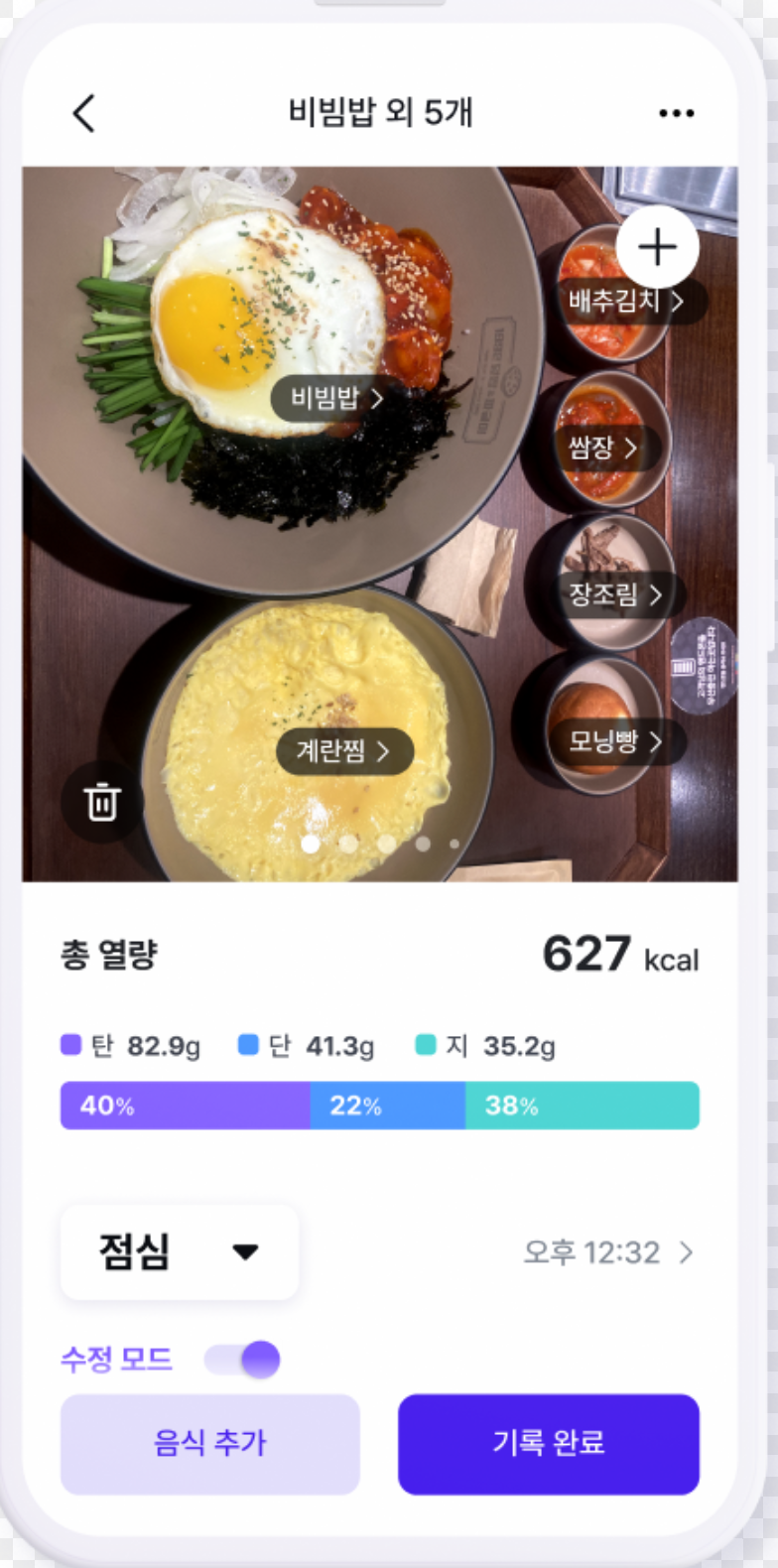
Once it looked like an app screen, I could immediately see what kind of meal I had at each time of day and exactly what I had eaten. That made self-review much easier. It started to feel a lot like Pillyze, an app I used heavily in the past.
I recorded the data in front matter and drew the UI with Liquid
The result looks like an app, but I did not build a separate input app. I write the body_review data as YAML in the front matter at the top of each Daily Review Markdown file.
body_review:
  today:
    exercise:
      aerobic: []
      anaerobic: []
    nutrition:
      complete: true
      meals:
        - type: lunch
          foods:
            - name: Spicy pork rice bowl
              calories_kcal: 779
              macros_g:
                carbohydrate: 115.13
                protein: 29.85
                fat: 21.41
Instead of repeating the HTML in every post, the body calls the shared viewer once through Liquid’s {% include %}.
{% include body-review.html review=page.body_review %}
When Jekyll builds the site, it passes page.body_review to _includes/body-review.html, which renders the cards, exercise records, meal tabs, and macro charts. A meal tab is not created at all when there is no record for that period, such as breakfast or a late-night meal. Once calories and macros are recorded for each food, the renderer calculates the meal totals, overall totals, and percentages. Ratings and the food-habit assessment are not calculated by the screen; Codex judges them from a dieting perspective, and I store those values directly in front matter.
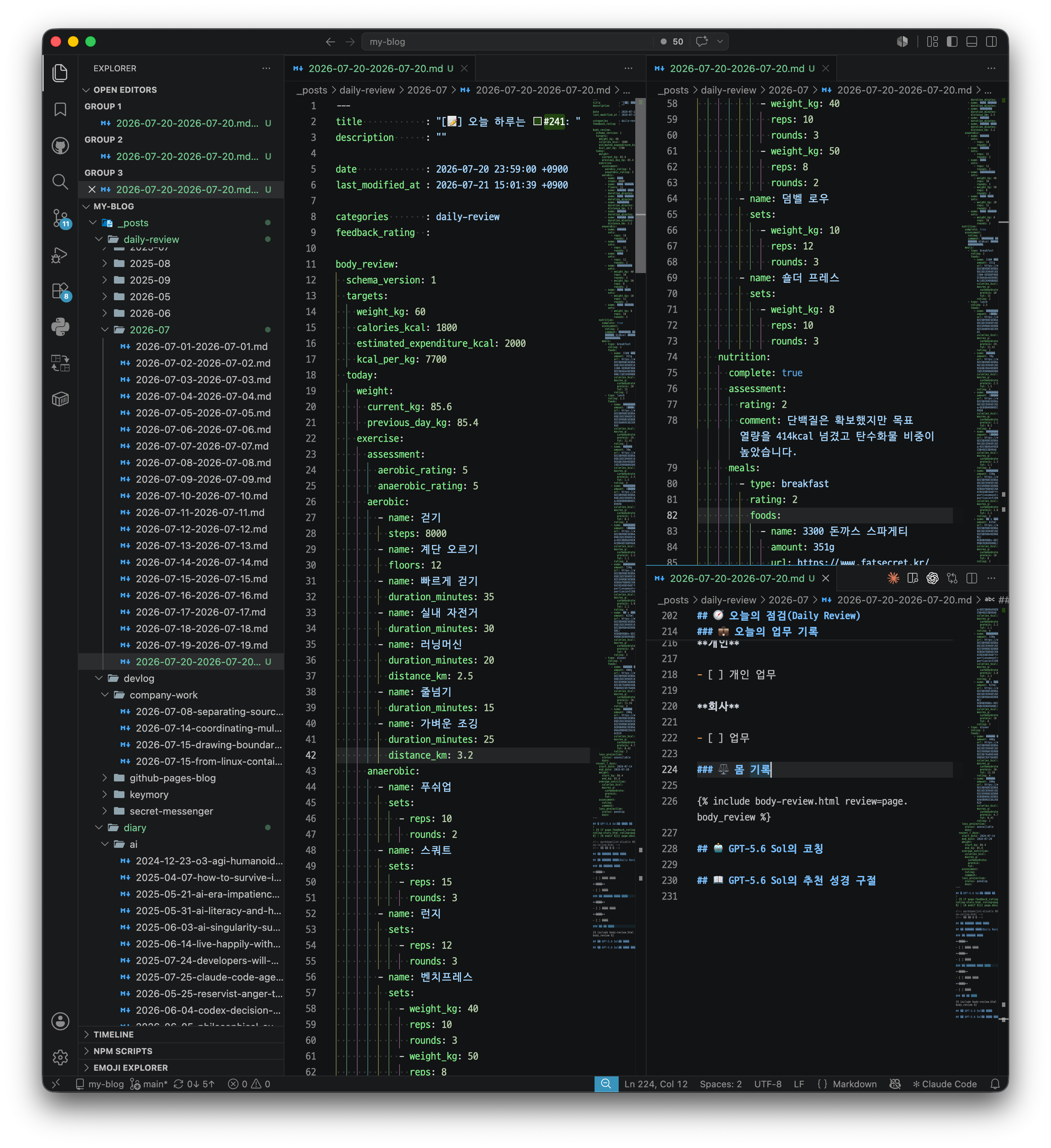
That means later Daily Reviews only need the day’s data. I do not have to copy the same UI code again.
Dogfooding the MVP
I plan to keep using it and improve whatever remains inconvenient. It also made me think I could eventually release a related service that works across the web and an app.
This is effectively an in-blog MVP before full app development, and a dogfooding1 process. Whenever I have time, I want to build the native and web app bit by bit with Codex and Flutter, then eventually make its data embeddable in the blog.
References
-
Dogfooding means that the people building a product use it themselves in a real environment to test its value and usability. The Microsoft Azure DevOps Blog’s explanation of Lean Product also describes using the product yourself before further refining the MVP. ↩
Leave a comment