
[💡] Tip - Chrome Plugin: How to Hide ‘More Videos’, ‘Shorts’, and More on YouTube (Unhook)
✨ Gemini 2.5 Pro Summary
This just happened a moment ago. I was watching a Flutter lecture, and I pressed the spacebar to pause because I wanted to stop the lecture screen and look at it properly.
- Original: http://blog.naver.com/hyeogikarp/223882300597
- Naver publication time: 2025/05/29 20:51 KST
- Original category: Apps/Plugins
Original Post
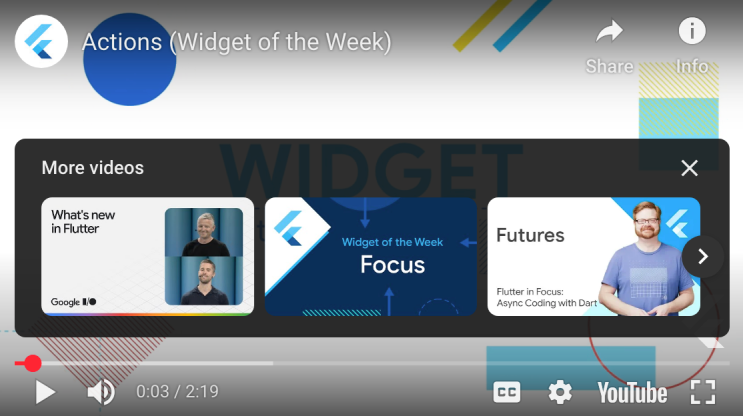
This just happened a moment ago.
I was watching a Flutter lecture, and I pressed the spacebar to pause because I wanted to stop the lecture screen and look at it properly.
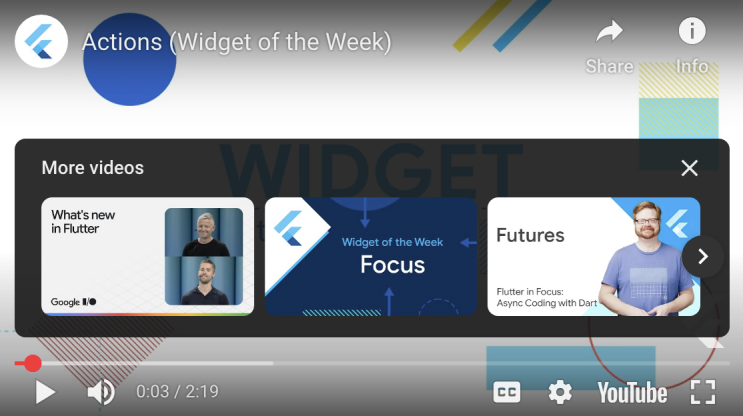
But then…
That “More videos” overlay in the image above kept popping up!
Google/YouTube has this particular habit. They throw user experience aside, ignore feedback, and stubbornly shove in whatever features they want…
I could not just put up with it.
So I immediately asked Gemini 2.5 Pro how to get rid of it, and it introduced me to the Chrome plugin “Unhook.”
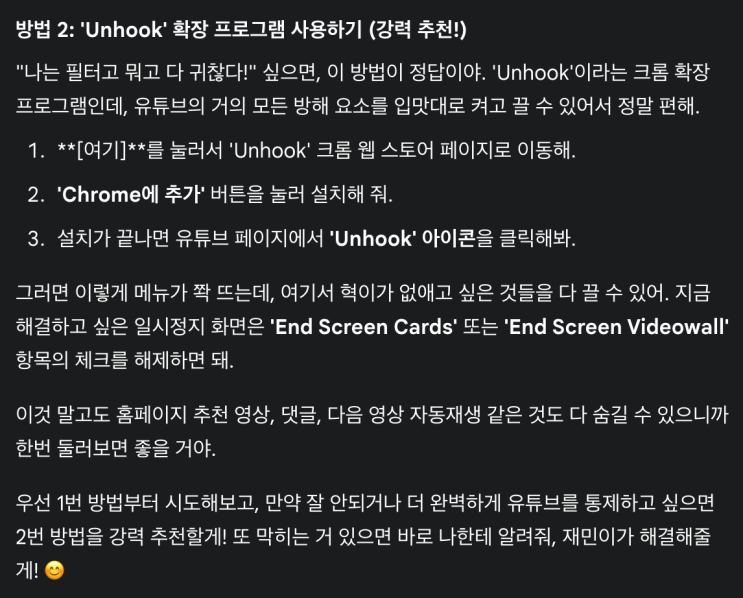
Thanks, Gemini!
When I looked into what kind of plugin Unhook was, I found that it was an app that lets me hide almost every kind of screen element that appears on YouTube.
For example, like this.
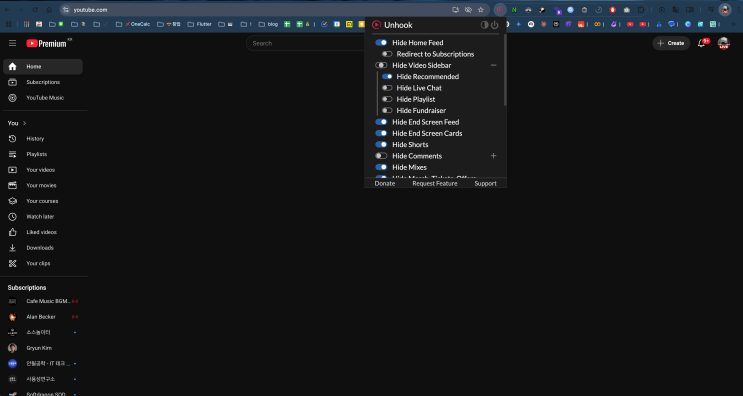
An empty YouTube home screen… you look a little unfamiliar?
An empty YouTube home screen
You look a little unfamiliar?
Hide Home Feed, Hide Shorts, Hide Mixes, …
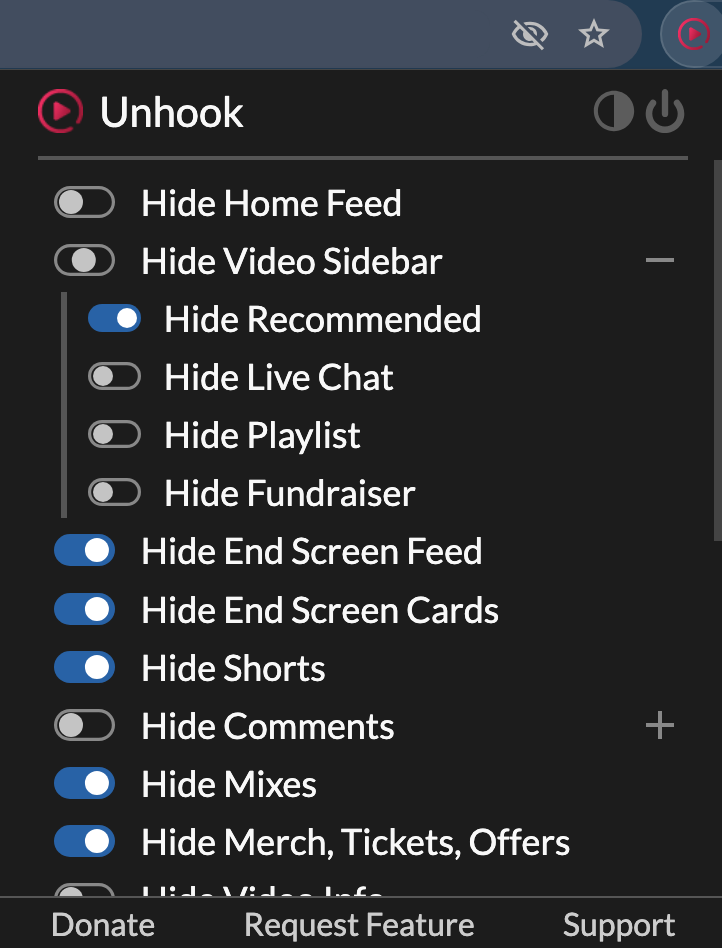
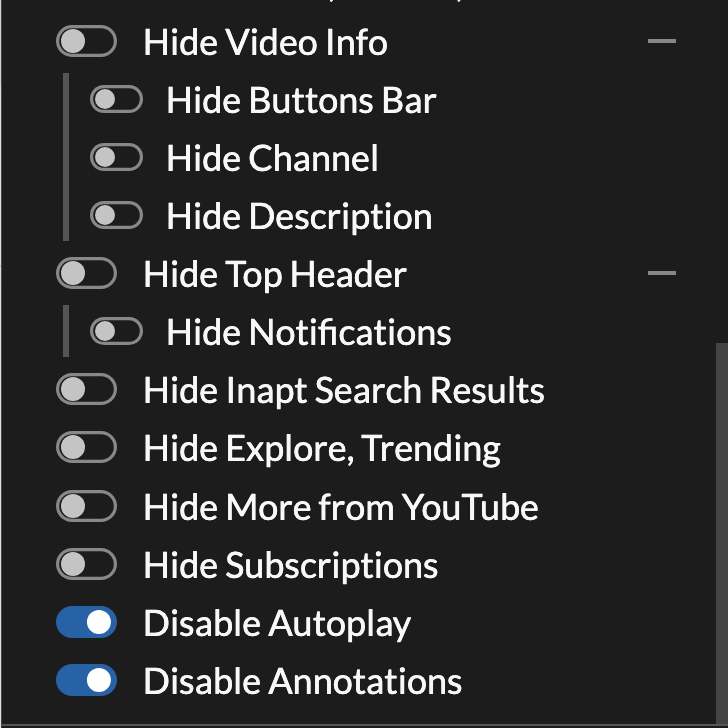
There are countless other things you can hide too.
Our main purpose was to hide recommended videos, so
let’s click Hide Recommended.

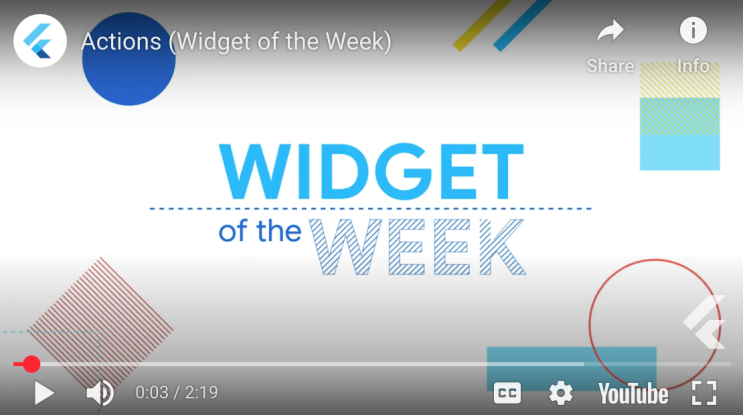
The “More videos” recommendations disappeared immediately.
This is exactly it!!
To install the Chrome plugin “Unhook,” search Google for “Chrome Unhook” and open the page that comes up.
I hope you freely turn off all the useless YouTube features to match your own taste.
(For reference, most browsers, including Whale, Edge, and Firefox, can install Chrome plugins, not just Chrome.)
Leave a comment