
[💡] Tip - Program: Espanso: No More Repetitive Typing (;g → @gmail.com)
✨ Gemini 2.5 Pro Summary
Introducing Espanso. To explain Espanso briefly, it is an app like this. In other words, Espanso is a text expansion tool that reduces repetitive typing and improves work efficiency.
- Original: http://blog.naver.com/hyeogikarp/223887070579
- Naver publication time: 2025/06/03 11:59 KST
- Original category: Apps/Plugins
Original Post
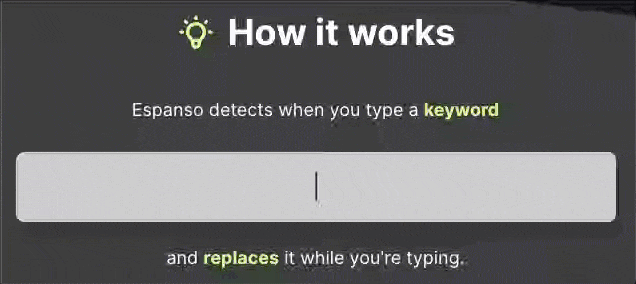
Introducing Espanso
To explain Espanso briefly, it is an app like this.
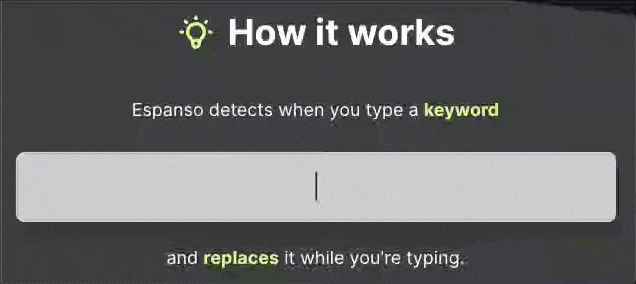
In other words, Espanso is a text expansion tool that reduces repetitive typing and improves work efficiency.
In everyday work, repetitive typing consumes more time and focus than you might think. I use a text expansion tool called Espanso to reduce this inefficiency, and since it has been genuinely helpful for improving work efficiency, I am sharing it here.
Espanso is
-
an open-source text expansion program that instantly enters long text or code snippets through a designated shortcut key (trigger).
-
It supports Mac, Windows, and Linux,
-
and it is completely free.
(Why are people not using something this good? Probably… because they do not know about it.)
Espanso is configured by directly editing YAML text files.
Since it is not a program you can control with a mouse (GUI), it may feel somewhat unfamiliar at first. But I actually think this direct YAML configuration method is better for making clear rules and precisely controlling Espanso’s text expansion features. (… developer things. Text is more comfortable.)
Anyway, by using Espanso, you can build your own autocomplete snippet library.
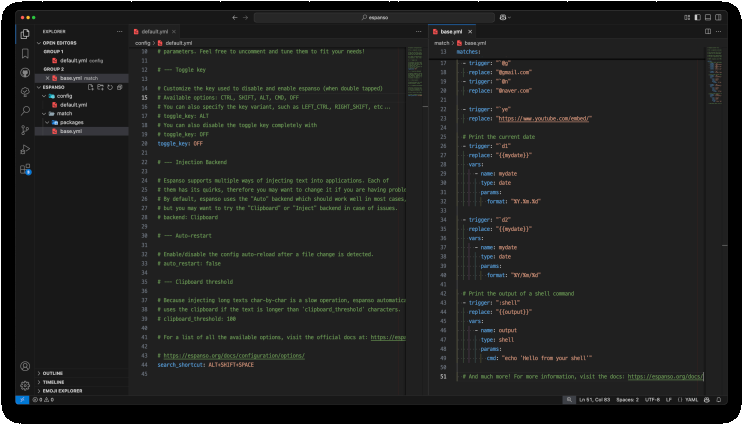
Below are a few examples of Espanso snippets I often use. You can add them to the YAML configuration file like this.
The practical benefits I get from using Espanso are as follows.
-
Improved work productivity: Time spent on repetitive typing is reduced, so I can focus more on core work. Espanso offers more than simple text expansion.
-
Increased text input accuracy: Because I use predefined snippets, I can reduce typos and inconsistencies in wording. This is one of Espanso’s important features.
-
Personalized workflow: Because I can create my own shortcut keys and autocomplete rules, I can build an environment optimized for the style of the person using Espanso.
In conclusion, Espanso is a very useful free, open-source tool worth considering when you want to streamline repetitive text input tasks and improve productivity.
The initial YAML setup requires a bit of learning, but once you get used to it, Espanso’s powerful snippet management and autocomplete features raise the quality of your work by one level.
I hope you enjoy a more convenient computer world through Espanso.
Installation and Usage (macOS)
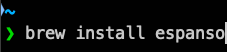
- macOS users can install it easily with Homebrew.
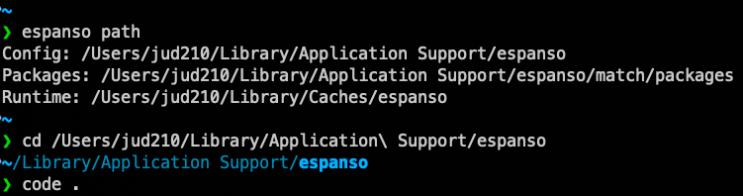
- Check the location of Espanso’s configuration file (Config Path), then open it in a text editor. (In this example, I will edit the configuration file with VSCode.)
- Find the
base.ymlfile, then register keywords and autocomplete content for your own environment as in the example and customize them. You can freely configure anything from simple text replacement to complex snippet autocomplete.
Leave a comment